Who this guide is for: signing service owners, founders building a signing platform, and title or escrow operations that order signings. It is not a guide to finding signing assignments as a notary.
A notary signing platform is the software a signing service runs on. It takes loan signing orders from title and escrow clients, offers them to qualified signing agents, schedules the appointment, tracks the documents, and turns the outcome into a client invoice and an agent payout. For a growing signing company the decision is not about finding more notaries. It is about controlling the whole workflow, cancellations and reassignment and client rules and payment exceptions included, and about what the software costs per order once volume is real. Established platforms cover a lot of this. Custom development is worth evaluating when you need your own business rules, deeper integrations, your brand on every screen, or a different business model. This guide walks through five decisions in order.
On this page+
1. Which software are you actually shopping for?
Six categories get called “notary software”. They serve different buyers.
Category | Who uses it | What it does |
|---|---|---|
Signing agent tools | Individual notaries | Appointments, mileage, income, invoices to companies |
Signing service management software | Signing companies and networks | Orders, dispatch, agent roster, client portal, invoicing, contractor payouts, reporting |
Title production software | Title and escrow companies | The settlement file; some order a signing from inside it |
Notary dispatch tools | Title agencies with their own roster | Availability, scheduling and assignment; no notary supply |
Remote online notarization platforms | Commissioned RON notaries and the firms that use them | Identity checks, recorded session, electronic notarization |
Custom or white label signing platform | Platform founders and established operators | Your own workflow, branding, multi-company access and integrations |
This guide is about the second and sixth rows. If you are in the third, skip to the integration paragraph in decision 3.
2. What should the software do?
Six steps, with money at both ends:
- Intake. Orders arrive by email, portal, bulk import or an integration from the client’s title production system. Each carries a borrower, a location, a document package and a fee. The same order often arrives twice, so duplicate detection matters.
- Offer. The order goes to agents who meet the client’s criteria: commission, E&O cover, background check, distance, language, rating. Platforms differ most here: a blast to everyone in a radius, a ranked list, or staged groups with a timer.
- Schedule and confirm. Appointment, documents, scan backs, reminders, no show and reschedule paths.
- Outcome. Completed, no sign, rescheduled, or cancelled before travel, after printing or after arrival.
- Invoice and pay. The outcome decides both the client invoice and the agent payout. Your cancellation and no sign rules belong here, per client, as written in your agreements; the software’s job is to hold the rule, show it to the agent at offer time and apply it to both sides automatically, not to impose a fee schedule.
- Reconcile and report. Margin per order and per client, aging receivables, unpaid agents, exceptions, payment totals per agent per year.
Take this checklist into every vendor demo, or write it into a build specification:
Category | What to verify |
|---|---|
Order intake | Email parsing, API intake, bulk import, validation, duplicate detection, client specific required fields |
Agent management | Credentials with expiry, location, qualifications, preferences, block lists, company specific verification rules |
Dispatch | Ranked offers, staged groups, timeouts, counter offers, reassignment, pre assignment by client |
Scheduling | Confirmations, document readiness, reminders, no show and reschedule handling |
Client portal | Real time status, permissions per client user, order submission, notifications, white label where needed |
Financial operations | Client invoices, contractor payouts, partial fees, adjustments, duplicate payment prevention, reconciliation against the order outcome |
Reporting | Margin per order and per client, aging, unpaid agents, exceptions, year to date totals per agent by payment method |
Integrations | Title production software, accounting, payments, messaging, document storage, and who maintains the mapping when either side changes |
Security | Role permissions, encryption, audit history, retention, incident response, evidence you can hand a client’s auditor |
Ownership and exit | Export of orders, agents, clients, invoices and payables; API access; source ownership where applicable; contract term and notice |
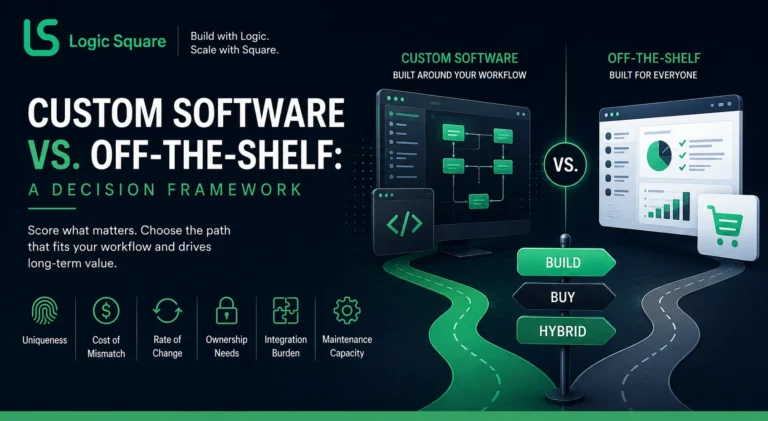
3. Buy, integrate, modernize or build?
What the main platforms publish, checked 27 October 2026. A capability missing from a public page may exist through configuration, a paid module, an API or professional services; we did not treat unverified features as absent. Ask each vendor to demonstrate your exception rules, agent selection, payout workflow, reports and integrations on a live account.
Product | Published pricing | Documented capabilities | Not found in public documentation |
|---|---|---|---|
Snapdocs Notary Connect Starter and Starter+ | Per the Starter terms version dated 13 February 2025: $4,860 a year billed annually or $5,400 quarterly for up to 300 orders; Starter+ $8,640 or $9,600 for up to 600; notary fees excluded; confirm current applicability (terms PDF) | For operations under 500 signings a year; “Starter customers coordinate and pay notaries directly” (Starter page) | Notary payment processing (stated as not included) |
Snapdocs Notary Connect Flex (signing services) | Quote only | Automated notary assignments, communication portal, notifications, performance dashboard, security tools, integrations and APIs (signing services page); help center documents credential checks, ranked offer outreach with staff making the final assignment, bulk invoice download, CSV export of orders, notaries and clients, SoftPro and Qualia connections (support.snapdocs.com) | Per client cancellation rule configuration, staged offer waves with timers, white label, invoice export as data, public API documentation |
Snapdocs VendorPay | Not priced separately | Direct deposit to notaries for companies enrolled in it, invoiced on the 3rd and 18th, notary paid in one to three weeks, 1099-NEC for VendorPay payments only; availability varies by enrollment and product (VendorPay FAQ) | Which plans include it |
SigningOrder | “Only $3 per order”, month to month (signingorder.com, 27 Oct 2026); inclusions, minimums and extra charges not stated | Offer automation, qualification filters, QuickBooks Desktop and Online, TitleLoop to ResWare, RamQuest, E-Closing, SoftPro 360 and Impact, Closer’s Choice; downloadable invoices (features) | Direct deposit payouts (bills go to QuickBooks), 1099 handling, white label, data export, API |
Notary Dash, Notary Everyday, Nexsys, Pavaso | Custom or pay as you go | Notary Everyday imports your roster, clients and fee structures in a setup meeting (help) | Self serve export, API, payout mechanics |
Title production systems | Quote only | SoftPro 360 orders signings through NotaryLoop (SoftPro); TitleLoop connects Qualia, ResWare, SoftPro, RamQuest, E-Closing, Closers Choice, LandTech and Impact to signing vendors (titleloop.com) | The signing service’s side of the work |
Friction across the closing technology stack. Reviews and industry coverage show where integrations and reporting fall short, but they come from different buyers and products, so read them as examples, not as verdicts on any one platform or as a sample of signing company buyers:
- A lender’s loan operations lead wanted to “push from our LOS directly into SnapDocs without that middle system” (Snapdocs eClosing, G2, Aug 2024).
- Title agents wanted signings ordered from inside their production system because other tools needed back and forth (The Title Report, Jul 2018).
- Title post-closers noted a connector that does not apply to older files and reports without a custom date range (Qualia, Capterra, 2022 and 2025).
- A signing company admin wanted more reporting options (Snapdocs, Capterra, Dec 2019).
- Notaries describe speed based dispatch, where the fastest responder wins the order (NotaryCafe, 2026).
Nothing in the table documents a cancellation and no sign rule configured per client, or a payout derived from the order outcome with duplicate payment blocked. Those may exist behind a demo. They are also the rules your margin depends on, so ask for them first.
The decision:
- Buy when a platform handles your volume, your clients’ integrations and your payout model with configuration, and the per order cost at your real volume works. An operation doing a few hundred orders a year usually should start here.
- Integrate when the gap is between systems: orders should leave the title production system without re keying, invoices should land in accounting, payouts should post to the bank. If TitleLoop or a native connector exists for your system, use it and spend the budget on the rules that run on top.
- Modernize when you already own software (an older platform, an internal tool, a build someone started) and the problem is reliability, security, reporting or a stack nobody maintains.
- Build when one or more is true: the exception rules are the business and must be enforced per client; you need several front doors (company, agent, client, admin, white label) on one order record; your model is multi company; you need ownership of code and data for a client, an underwriter or a sale; or an integration a vendor will not provide decides whether you keep a client.
Illustrative, not a substitute for a requirements assessment.
4. What will it cost, and what does switching involve?
Compare three years, both ways.
- Three year buy cost = subscription and usage fees + integration and migration + internal operating costs (scheduler hours, reconciliation, workarounds the product leaves).
- Three year build cost = discovery and development + hosting and maintenance + integration and migration + internal operating costs.
Then list what no formula captures: lock-in and exit terms, features the rented product will not add, data portability, implementation risk, and the value of owning code your business runs on.
Published inputs as of October 2026 are in the table above: SigningOrder’s $3 per order, Snapdocs Starter at $4,860 a year for up to 300 orders under its February 2025 terms (about $16 per order at the cap, by our arithmetic, with notary fees and payments outside the plan), and quotes for everything else. Agencies publish rough ranges for two-sided dispatch platforms with contractor payouts, from tens of thousands for a first release to several hundred thousand for a full multi-role platform, with ongoing cost often put at 15 to 25 percent of the build a year (TekRevol, Aug 2026; Clockwise Software, Feb 2026; LowCode Agency, Oct 2026). Those are other firms’ estimates, not a standard. Our own MVP cost page shows first releases of single products; a multi-role signing platform with financial reconciliation and title integrations is a larger build than any MVP figure there, so do not read one as the price of the other.
Replacing signing service software without losing active orders:
- Protect the export. Exports carry client data and agent tax identifiers. Decide who extracts, where the files are stored, how they move (encrypted, never by email), and when temporary copies are deleted.
- Get the data out while you have admin access. Snapdocs lets admins export notary vendor info, client info and orders by date range as CSV and download invoices in bulk; it does not export invoices as data, and its terms say termination “may result in deactivation of your account and loss of access to data” (export help; terms, Sep 2026). An export is not proof that every historical financial field can be rebuilt elsewhere; plan for the gaps. No other vendor in the table documents a full export.
- Check the contract clock. Twelve month terms, auto renewal, 30 day notice and forfeited unused orders are published for at least one Starter plan. Time the cutover to the renewal date.
- Re map every integration. Client and user mappings, and product mappings that “must match Qualia exactly” (Snapdocs Qualia guide), are rebuilt per platform before the first live order.
- Reconcile to totals, not counts. Test the destination against the source’s totals: open invoices, outstanding balances, cancellations, agent payables and how each historical payment was classified.
- Control the cutover. The simple rule is old orders finish in the old system and new orders start in the new one. Depending on integrations you may need a shadow period, a defined cohort of clients or order types moving first, and protection against duplicate notifications to agents and duplicate payouts while both systems are live. The parallel window ends when the last old order is paid, not when it is signed.
5. What does a custom engagement involve?
Illustrative phases, not a schedule.
- Discovery and workflow mapping. Roles, order states, per client cancellation and payout rules, existing systems, data to migrate, and acceptance criteria tied to money as well as screens.
- Minimum order to money release. Intake, agent management, dispatch, scheduling and client status, together with the financial lifecycle of every order: what the client owes, what the agent is owed, cancelled and no sign states, and outstanding balances. Validated on test and shadow orders before the first real one, so the first live release cannot lose a financial obligation.
- Integrations and advanced financial automation. Title production connectors, accounting sync, payout automation, deeper reporting.
- Scale and reliability. Permissions, concurrency, audit logs, recovery, monitoring, month-end volume.
Security your clients will expect. Signing services and their software often carry information security obligations through contracts with title, escrow and lending clients. The FTC Safeguards Rule lists “an entity that provides real estate settlement services” among its examples of financial institutions (16 CFR 314.2), and the FTC says coverage turns on “the types of activities your business undertakes” (FTC guide), so whether a particular signing operator is directly covered depends on what it does and on counsel’s reading. Covered firms must oversee service providers and require safeguards by contract. ALTA’s Best Practices 5.0, effective 8 October 2026, ask title agents to confirm that the signing professionals they retain use training and tools to validate government-issued ID and verify the signer, along with licensure or a verifiable designation, E&O and bond where required, and a written acknowledgment of the company’s information security program (ALTA Best Practices; ALTA, Aug 2025). For the software that means role-based access, sensitive document handling, audit history, records of vendor oversight, retention matched to client requirements, incident response, and evidence you can hand a client’s auditor. Designed in from the first schema; retrofitting is the expensive version.
What building one taught us. Logic Square built the signing service software behind CloseWise, starting in February 2021 with a soft launch in April 2022, and extended it after launch. It has been engineered to support more than $21 billion in loan closings. At the time of the client’s 2023 public review the platform was handling 6,000 or more signing orders a month and had transacted $2.2 billion in real estate value, with $1.4 million in client revenue managed through it in the first year after launch. Five lessons from the build:
- The order is the record that connects operations and money. Invoice and payout derive from the order’s outcome, so a cancellation or no sign changes both without re keying.
- Make incomplete work an explicit financial state. Cancelled before travel, after printing and after arrival are different states with different money attached, configured rather than remembered.
- Several experiences, one backend. Company workflows, the agent experience, the client experience, an admin panel and white label variations for individual signing companies read the same order.
- Staged, timed offers instead of a blast. Recommendations go out in stages with a configurable acceptance window per stage, which removed the need for a scheduling team.
- Block the double payment in the data model. Duplicate billing and duplicate payout are prevented by design, not caught in a spreadsheet.
The engineering story is in how we built CloseWise. CloseWise is a product we built for a client. We do not sell it, license it or offer copies of it; what we bring is the experience of building transaction-heavy signing software, applied to your operation.
Remote online notarization is a separate category
RON platforms add remote identity verification, electronic notarization, recorded sessions and jurisdiction-specific requirements. A signing service platform can integrate with a RON provider without implementing notarization itself. Evaluate RON separately against applicable state law, client and underwriter requirements, security and integration needs.
Frequently Asked Questions
What should signing service software include?
Intake with duplicate detection, credentials with expiry, offers that go to the agents you choose in the order you choose, scheduling, invoices and payouts derived from each order's outcome, duplicate payment prevention, a client portal, margin and aging reports, and integrations with title production and accounting systems. The checklist in decision 2 is the long form.
Should a signing company build or buy?
Buy if a platform handles your volume, integrations and payout model with configuration at a per order cost that works. Build when the exception rules are your business, you need several front doors on one record, your model is multi company, or ownership of code and data matters to a client, an underwriter or a sale. Integrating or modernizing sits between the two and is the right answer more often than either.
How much does a custom signing platform cost?
No honest generic figure exists. Scope it from roles, order states, integrations and the payout model, then compare three years both ways as in decision 4.
Can signing software integrate with Qualia, SoftPro or ResWare?
Yes, through TitleLoop or NotaryLoop, through SoftPro 360, through the Qualia Marketplace and connectors, and through ResWare partner connections. Ask who maintains the product mappings when either side changes.
Who owns our data if we leave a platform?
Read the terms. At least one major platform says termination may end access to your data and documents CSV export of orders, notaries and clients but not invoices. Export before you give notice.
How should the software handle 1099s?
It should keep calendar-year payment totals per contractor by payment method and by reporting entity, with configurable tax rules and reconciliation against payment providers rather than hard-coded thresholds. For reference, the IRS 1099-NEC threshold for tax years beginning after 2025 is $2,000 (IRS instructions, checked 27 Oct 2026); card and payment network transactions follow different rules, and a payout service reports only the payments it made.
What did Logic Square build in this industry?
CloseWise, signing service software engineered to support more than $21 billion in loan closings: order intake including AI-assisted parsing, agent recommendations and staged timed offers, scheduling, exception-aware invoicing and payouts, change history, reporting, and company, agent, client, admin and white label experiences on one backend. We built it for a client and do not sell it. We can build yours.
Building or replacing signing service software?
Logic Square has built signing operations software covering order intake, agent coordination, scheduling, invoicing, payouts and multi-role workflows. Bring the systems you run and the three rules your scheduler keeps in her head, and we will say whether it is an integration, a modernization or a build, and whether it is worth doing at all: discuss your signing software requirements.
Work with us